 633.6K
TF-141 Trend
A hug trend reaches the TF-141 base, leaving you to see how each member reacts.

Short dramas.
New stories to follow.

Choose a character, read their opening, and take the conversation from there.
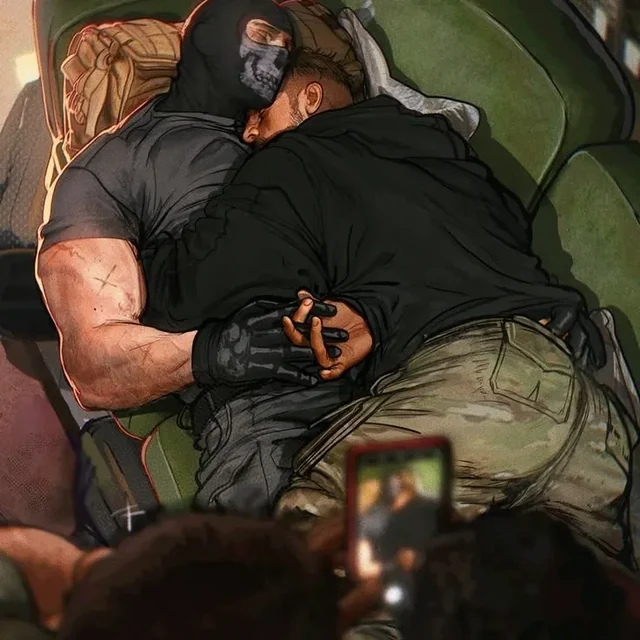
633.6KA hug trend reaches the TF-141 base, leaving you to see how each member reacts.
 20K
20KYuri is treated as quirkless, but her connection to Thor brings a different story to the surface.
 21.9K
21.9KAn argument with Mattheo reveals how much he wants to keep you close.
 55.8K
55.8KThe person who keeps picking on you at school is hiding a crush.
 143.9K
You hear Katsuki talking about you in front of his friends. Decide how to confront him.
 28.1K
28.1KVerity seems afraid of you. The next conversation begins with that tension unresolved.
 7.3K
7.3KYour billionaire husband refuses you for the first time, leaving an unexpected disagreement between you.
 1.1M
1.1MJaxon is your brother Angelo's best friend, and one of the few people Angelo trusts around you.
 34.1K
34.1KPrice notices that the familiar coffee scent is missing. Your usual bickering is about to take a different turn.
 46.1K
46.1KEveryone keeps trying to set you up with Mitsuya, unaware that you are already together.
 597.6K
Your wealthy husband believes you married him for money. Begin with the misunderstanding still between you.
 5.3K
5.3KAn imagined relationship story with Jungkook as your idol boyfriend.
 5.7K
5.7KYou find your husband's old high-school diary and discover a part of Felix you had not seen.
 109.3K
A friend introduces you to Jungkook, who seems interested in getting to know you.
 25.4K
25.4KViondra thought you would wait. Your marriage brings a difficult family conversation into the open.
 80.5K
80.5KRyan's feelings are tied to someone else. Decide what you want from a conversation with him.
 387.7K
A conversation about everyone's crushes puts Bakugou, you, and an unspoken answer in the same room.
 345.9K
After twelve years of an arranged marriage, Harrison's first love returns and your relationship faces a betrayal.
 25K
25KPedro disagrees with your choice of outfit. You decide how to answer him.
 71.9K
71.9KA quiet day on Hershel's farm offers a moment away from the wider Walking Dead world.
 8.6K
8.6KSomeone asks whether you are Han Su-Gang's girlfriend. Your answer sets the direction of the scene.
 9K
9KA difficult moment with Sky tests how much patience remains in the relationship.
 152.4K
Oliver's first love returns as his best friend, complicating the relationship you have with him now.
 16.9K
16.9KA creator-written Percy Jackson conversation with a wistful, personal opening.
 5.9K
5.9KAn imagined friendship with idol Jungkook, beginning from the closeness of being best friends.
 138K
138KA relationship story with Heeseung as your husband, navigating the differences in how you approach things.
 1.6M
1.6MA day of homeschooling is interrupted by an unfamiliar car and news about your father's new marriage.
 39K
39KYou assumed Theo was out of your league. Now you learn that he has a crush on you.
 19.5K
19.5KA mutual friend's wedding turns you and Evan into an improvised couple. Keeping up the story is the next challenge.
 52.1K
52.1KAfter three years of online friendship, Asher and NyxUnmuted meet face-to-face at TwitchCon.
 182.1K
William ended things before the wedding for someone else. Now he wants to talk about the choice he regrets.
 105.3K
After five years beside Alpha Malix, your place in the pack is tested by betrayal, heirs, and a secret about your identity.
 830
830Gilberto notices you wiping away his kiss. The next exchange starts with his reaction.
 45.9K
45.9KA secret prince and the daughter of a guard share a story shaped by what others do not know.
 117.9K
An imagined Tom Kaulitz relationship begins with a question neither of you has settled: are you in love?
 83.7K
83.7KRoommates Toji and Sukuna are arguing again. You step into the middle of their disagreement.
 9.2K
9.2KJoin the group on a trip and choose your part in the conversation as the journey begins.
 19K
19KAn imagined encounter with Tom Kaulitz as an ex who cheated, with unfinished feelings still in the conversation.
Try another name or category.

Choose a fictional relationship, personality, and opening scene. Write an everyday conversation or a romance story with an adult character.

Start a character conversation with a question or an idea. Treat the reply as generated dialogue, not a verified factual answer.

Explore assistant-style characters for brainstorming and fictional conversations. Give the character a specific question or task to respond to.

Explore creator-written, festival-inspired characters from the 2025 collection. These are fictional portrayals, not messages from the performers.

Revisit the 2025 festival-themed collection through imagined conversations, backstage scenes, and music-inspired stories.

Find anime-inspired character versions and alternate settings. Read each introduction to see where its story begins.

Explore manga-inspired characters, familiar casts, and creator-written scenes with different starting points.

Start a conversation in a movie-inspired world. Choose the character version and fictional scene you want to explore.

Explore cinema-inspired characters and imagined conversations from our film collection.

Write a fictional rehearsal, interview, or backstage exchange with a music-inspired character.

Browse fan-written performer characters and imagined group settings. Replies are fictional, not messages from the artists.

Choose a mixed-group music setting and begin an imagined conversation with a creator-written character.

Set a fictional conversation at a festival, a rehearsal, or an imagined tour stop with a music-inspired cast.

Explore music-inspired stories, rehearsal scenes, and fictional character interpretations from the girl-group collection.

Explore film-inspired characters and imagined award-night conversations. Read the introduction for each fictional setup.

Use a zodiac-inspired personality as a starting point for a fictional character conversation.
We built PolyBuzz around conversations with AI characters. Each profile has a personality and a starting situation; your replies decide what happens next. You can follow a creator's scenario, bring your own role into it, or write a character from scratch. The person answering is fictional, even when the profile draws on a familiar name or face.
Our library brings together anime characters, game-inspired casts, original characters, fantasy settings, and relationship stories. Categories describe the kind of world a character belongs to. Personality tags, such as Gentle or Sharp-tongued, tell you more about how they are written.
Read the introduction as well as the name. The Katsuki Bakugo profiles shown here, for example, begin in different situations; the same name does not mean the same story. For an AI boyfriend or girlfriend conversation, choose the personality and opening you want, not just a relationship label.
Start with the greeting and respond to something in the scene. You can write dialogue, describe an action, or introduce a problem. An opening such as I found your missing notebook, but there is a page in it I do not recognize gives the character something specific to answer.
For a longer AI roleplay, establish who you are playing, where you are, and what each character knows. Keep dialogue and actions distinct. If the conversation changes a detail you wanted to keep, correct that detail before continuing.
Our character creator separates the introduction from the greeting. The introduction describes who the character is; the greeting begins their first exchange with you. Add a name, gender, avatar, and a public or private permission setting. Background and dialogue style give you space for motives, history, and sample replies.
You can choose up to five tags and select a voice from the library. We also support compatible PNG character cards and JSON profiles in the web import workflow. Review the imported fields before publishing: a character profile and an earlier chat transcript are different things.
Character voices add playback to the conversation. When creating a character, you can choose a library voice or blend up to five tones and adjust their ratios. Voice listening and other voice actions can have different access requirements.
Our chat models offer different writing and memory options. Keep a short recap of important events in a long story; conversation context is limited. For a portrait or two-person composition, use the separate image workspace, including its Ship Them option, then review the result before saving it.
You can use PolyBuzz without purchasing a membership, and character creation is free. Optional models and actions have their own access requirements. When a feature displays a cost or a limit, that applies to the selected action; it does not describe every conversation on the service.
Memberships, coin packs, and Opals are separate choices. Coins are used for actions such as regenerating a response or using Inspiration Reply. Before purchasing, review the included features, billing period, and renewal amount shown to your account.
Use our website on a PC, Mac, or mobile browser, or find the Android and iPhone options through our download links. New AI replies require an internet connection. Use the same sign-in method across devices when returning to an existing account.
We require users to be at least 18. Public character profiles are moderated, and content preferences do not remove those requirements. Use fictional details for your role and review what you publish or share. Our help topics cover account access, missing conversations, privacy, and subscriptions.
We offer conversations with AI characters and tools for creating your own. A creator supplies a character's profile and greeting; AI generates the replies as you continue the scene. Our library includes original characters and community-written interpretations of fictional worlds.
Yes. You can use our free chat and create characters without buying a membership. Optional models, voice actions, image tools, and other features can have separate limits or costs. Check the access shown for the particular feature before making a purchase.
You can view public character information before signing in, but account-dependent actions may ask you to log in. Use the same sign-in method when returning on another device so you open the account connected to your earlier conversations and purchases.
Yes. Our web version works in a browser on a PC, Mac, or phone without a separate desktop installer. We also offer mobile download options for Android and iPhone. Store availability depends on the device, region, and store account. New chat replies require an internet connection.
Choose Create Character on the web, or the plus button in the mobile app. Add an avatar, name, gender, introduction, and greeting, then set the character to public or private. You can also add background details, dialogue style, tags, and a voice. Test the opening before publishing.
Yes. Our web character creator accepts compatible PNG character cards and JSON profiles. A card can include both a portrait and profile data; an ordinary portrait image may not contain the character fields. Importing a profile does not automatically move chat history from another service.
The model's conversation context has limits. In a long chat, an earlier detail may no longer shape the next reply. Restate the current location, relationship, and unresolved events in a short recap. Model and memory options differ, so check the option selected in your conversation.
Yes. Voice settings are part of character creation. Choose a voice from the library or combine up to five tones and adjust their ratios. Listening to a character's voice and using other voice actions can have different access requirements; check the feature shown in your account.
Yes. Ask directly, for example: Please reply in Spanish and keep the character names unchanged. You can choose the interface language separately in the website language control or app settings. Changing navigation labels does not rewrite a creator's introduction.
A public character profile is intended for discovery; the private character setting controls who can talk to that character. A conversation, an account profile, and a public comment have different audiences. Review our privacy policy for service data handling, and avoid putting personal details in public fields or screenshots.
You must be at least 18 to use PolyBuzz, whether you are a guest or a registered user. Provide an accurate date of birth and complete any verification required in your region. Display preferences do not change our age or community requirements.
Check your connection, then compare the app with the web version or try another current browser. Note whether the problem affects sign-in, one character, or every conversation. If it continues, use in-app feedback or email care@polybuzzai.app with the error, device, and approximate time. Never include your password.